Running a window manager from inside a docker container
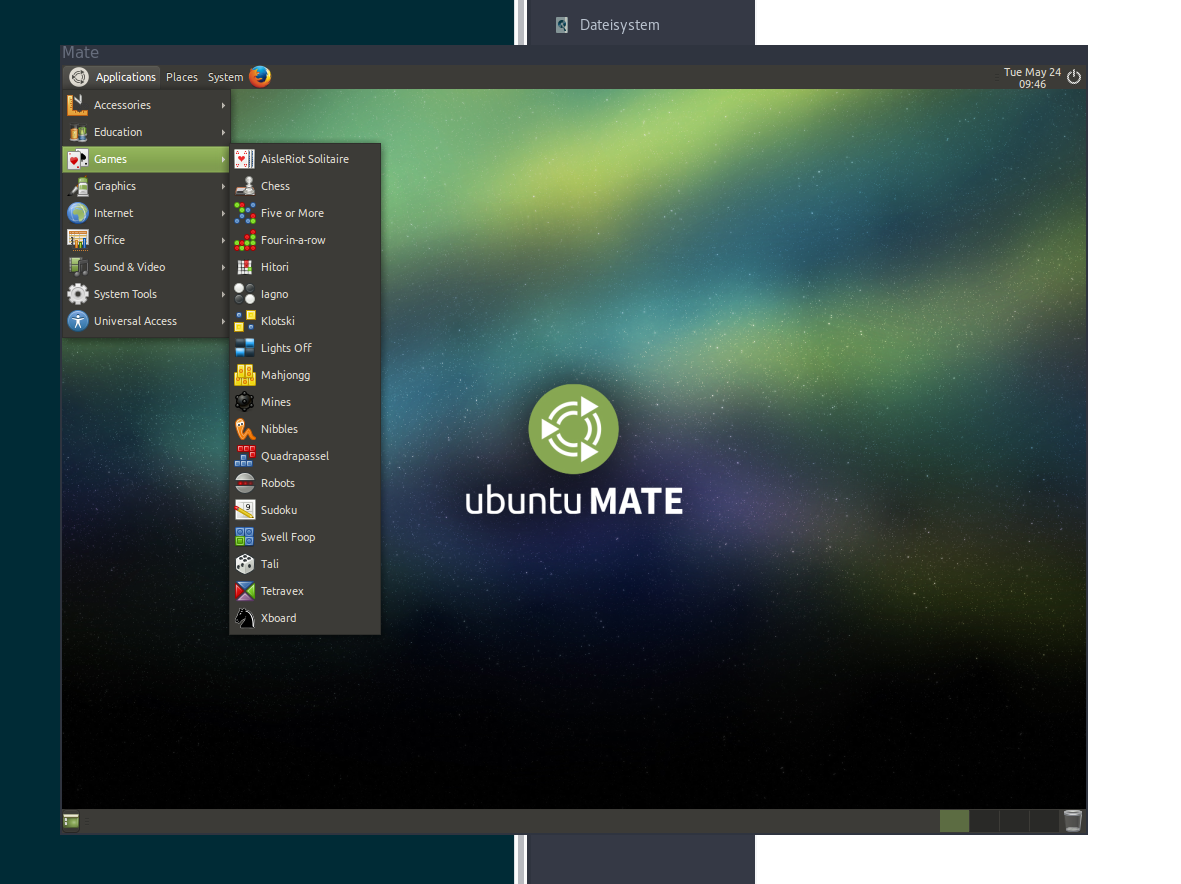
TL;DR-Version:
run:
$ sudo pacman -S xorg-server-xephyr or $ sudo apt-get install xserver-xephyr
run: $ Xephyr :1 -ac -br -screen 1024x768 -resizeable -reset -terminate &
run:
bash
$ docker run -it -e DISPLAY=:1 --device /dev/snd -v /tmp/.X11-unix:/tmp/.X11-unix  csicar/ubuntu-mate-desktop /usr/bin/mate-session
Window-Managers inside a container
As show here docker is not only useful for server applications, but can also be used for desktop applications.
Taking it a step further I wanted to run a window-manger from inside a docker container.
There are basically 2 steps to it:
- Creating a virtual DISPLAY using a program like Xephyr
- giving the container access to the
DISPLAY
Creating a windowed X-Server
- Installing Xephyr is pretty simple: Just do
sudo pacman -S xorg-server-xephyrorsudo apt-get install xserver-xephyr - Now run
Xephyr :1 -ac -br -screen 1024x768 -resizeable -reset -terminateto create a X-Server:1is the display-id; this will need to be passed to what ever wants to access the display-acdisables access control restrictions-brcreates a window with a black background-screen 1024x768sets the default screen size-resizeablemakes the screen (for the guest) and the window (for the host) resizeable-resetcloses the host-window, when the guest exits the X-Server
Giving the container access to the DISPLAY
Just do: docker run -e DISPLAY=:1 -v /tmp/.X11-unix:/tmp/.X11-unix [container-id]
-e DISPLAY=:1will pass the value:1as a environment variableDISPLAYthrough to the container-v /tmp/.X11-unix:/tmp/.X11-unixwill pass the file through to the container`
The rest just like you are used to with docker.
Conclusion
Why?
because you can. And maybe because you can test new configurations of your WM (like i3) without worrying about breaking your main system.
What makes it better than virtualbox?
I get a lot beter performance when using a wm in a container instead of a vm.
Dockerfile
https://github.com/csicar/docker-wm